Facebook, Instagram, TikTok and YouTube
Every box of the real report form, in order, filled in and counted to the platform's limits.

Meta copyright form7 boxes filled
How to report TikToks that copy your videos, including films cut into numbered parts, what TikTok's strike rules mean for the copier, and how to ask TikTok to stop the same video coming back.
Every box of the real report form, in order, filled in and counted to the platform's limits.
Check your email. We've sent a link to start your pack to
Name the accounts copying you. When they post your work again, a new pack is waiting in the morning.
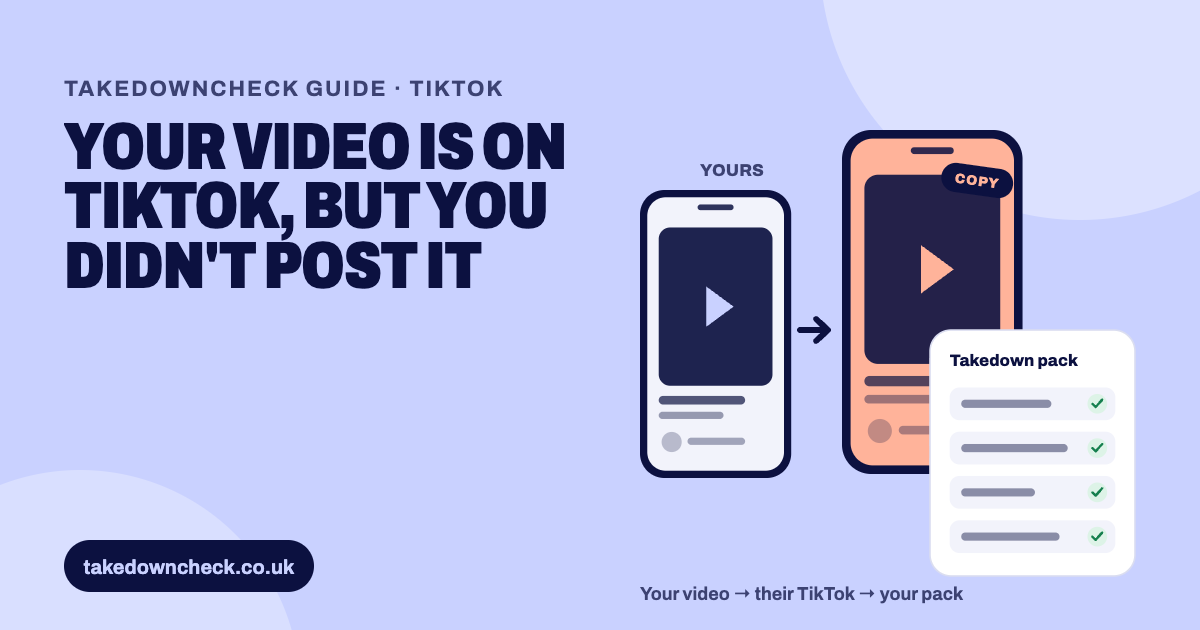
Use TikTok's online Copyright Infringement Report form. Choose the copyright option for user-generated content, confirm you're the owner or authorised, and verify your email. Then give the link to each copy, evidence that the work is yours and the required statements. Ask TikTok to prevent future copies. TikTok publishes no copyright email address on its policy page, so the form or the in-app report is the route.
The most common pattern on TikTok is a long YouTube video cut into numbered parts. Each part is letterboxed inside a vertical frame, often with your title across the top and captions of your narration below. Watched in order, the parts replace your film. Some accounts post a single highlight instead, or rebuild your story from your footage with a new voice.
TikTok’s policy says copyright “protects an original expression of an idea (e.g., the specific way a video or music is expressed or created) but does not protect underlying ideas or facts.” So a copy of your footage, edit and narration is reportable. Someone telling the same true story in their own words, with their own pictures, usually isn’t.
TikTok’s support centre is clear: “You must be the owner of the infringed work or an authorised representative to submit a copyright infringement report.” Its form offers three answers to “Please verify who is being affected by this?”: “I am the copyright owner”, “I am authorized to act on behalf of the copyright owner” and “I have no relationship to the copyright owner”. Only the first two can report copyright.
Have these ready before you open the form:
TikTok offers two routes. The in-app report is quick. The online form is the one TikTok ties to the “prevent future copies” request, so use the form for copyright.
Go to TikTok’s copyright report form. It opens with a warning that “Misuse of the removal request webform, such as submitting false information, may result in the suspension of using the webform or other legal consequences.”
Under “What issue are you having?” select “I’d like to report a possible copyright infringement in user-generated content”. Adverts and TikTok Shop have their own options.
Choose “I am the copyright owner”, or “I am authorized to act on behalf of the copyright owner” if you’re filing for a creator.
TikTok shows “We need to verify your email address before you make a report.” No further fields appear until you do.
Give the link to each copy, describe your original and link to it, and include your ownership evidence. TikTok says you’ll “need to provide all the information requested”, and that missing information “may result in your report being denied”.
Take up the option to prevent future copies of the video, complete the statements and send. Keep the confirmation.
TikTok doesn’t publish the wording of the later screens. When we filed in September 2026, the form asked for your name, the copyright owner’s name (a plain name; it rejected a company number added to it), an address, an email and an optional phone number. It then asked whether the original is on TikTok or outside it, gave a short box for your original work’s link, and a large box for the copies, one link per line. Last came tick-box statements, including one to prevent future copies, and a typed signature. The form cleared itself after sending without always showing a reference, so check your inbox for TikTok’s confirmation. Read each statement before you agree to it. Your report is a legal statement.
TikTok’s support centre gives these steps: tap the Share button on the post, tap Report, tap “Counterfeits and intellectual property”, then tap “Intellectual property violation” and follow the steps. It’s useful for a quick single report. TikTok only describes the “prevent future copies” request on the online form.
TikTok says: “We’ll assess whether the copyright infringement report contains all the necessary information for us to investigate the claims and has been submitted by the copyright owner or their authorised representative. We may reach out to you to provide any missing information.”
TikTok also lists appeal reasons it generally won’t accept without evidence. They include “Only a small portion of the work was copied and not the entire work” and “There are others who are also posting similar content”. A copier who argues “it’s only Part 3” isn’t making an argument TikTok usually accepts.
TikTok names two reasons outright: missing information, and a report not made by the owner or their representative. The practical causes follow from those.
Keep it factual and specific to your work. This is an example to adapt:
This post is part of a series that re-uploads my video, which I filmed, edited and narrated and first published on my YouTube channel on [date]: [link to your original]. This part shows [start] to [end] of my video, letterboxed, with my narration as captions. I have not given this account permission to use my work.
Change the times for each part. Don’t claim the title or any footage you licensed from someone else.
TikTok’s support centre sets out its strike system plainly: “we issue a strike to someone if their content was removed due to copyright infringement. Multiple reports leading to content removal within a short period of time may be counted as a single strike. There is a strike limit for each IP type, after which we’ll permanently remove the account.”
Report re-uploads as soon as you see them, and keep a list of every report with its date. Because several removals in a short window may count as one strike, a steady record over time matters more than one big batch.
This is general information, not legal advice.
Letterboxed TikTok parts defeat automated image matching, so a copied series can be hard to match by picture alone. The giveaway is usually the text. A creator’s own title quirks and typos, copied character for character, show exactly where the parts came from, so we point to those details in TikTok reports. If you’d like TikTok’s form filled in for you, the free pack at the top of this page pairs each part with your video, ready to paste and submit.
The platforms' own pages this guide is based on.
Every part is a separate copy, so every part needs reporting. TikTok doesn't say whether one report can hold several videos. If the form lets you add more links, add each part; if not, file one report per part.
TikTok says that where a video is removed after your report, it 'will use our best efforts to prevent the same video from re-appearing on the platform'. It's offered on the online form. It's a best-efforts filter for that video, not a block on the account.
Not on TikTok's Intellectual Property Policy page, which directs reporters to the online form or the in-app report. Guides that quote a TikTok copyright email aren't using TikTok's current policy.
TikTok's support centre says there's a strike limit for each type of IP, counted separately for copyright and trademark. Its example: three copyright strikes gets an account banned. Strikes expire after 90 days.
They may. TikTok says it may give the user information about your report, such as the name of the copyright owner. If they appeal, a UK uploader's appeal can be forwarded to you with their contact details.
TikTok doesn't publish a review time. It says it may contact you for missing information and recommends replying promptly to avoid delays.