Facebook, Instagram, TikTok and YouTube
Every box of the real report form, in order, filled in and counted to the platform's limits.

Meta copyright form7 boxes filled
How to report a Reel that reposts your YouTube video, using Meta's intellectual property form: what each box asks for, what the poster is told about you, and what Meta does and doesn't promise.
Every box of the real report form, in order, filled in and counted to the platform's limits.
Check your email. We've sent a link to start your pack to
Name the accounts copying you. When they post your work again, a new pack is waiting in the morning.
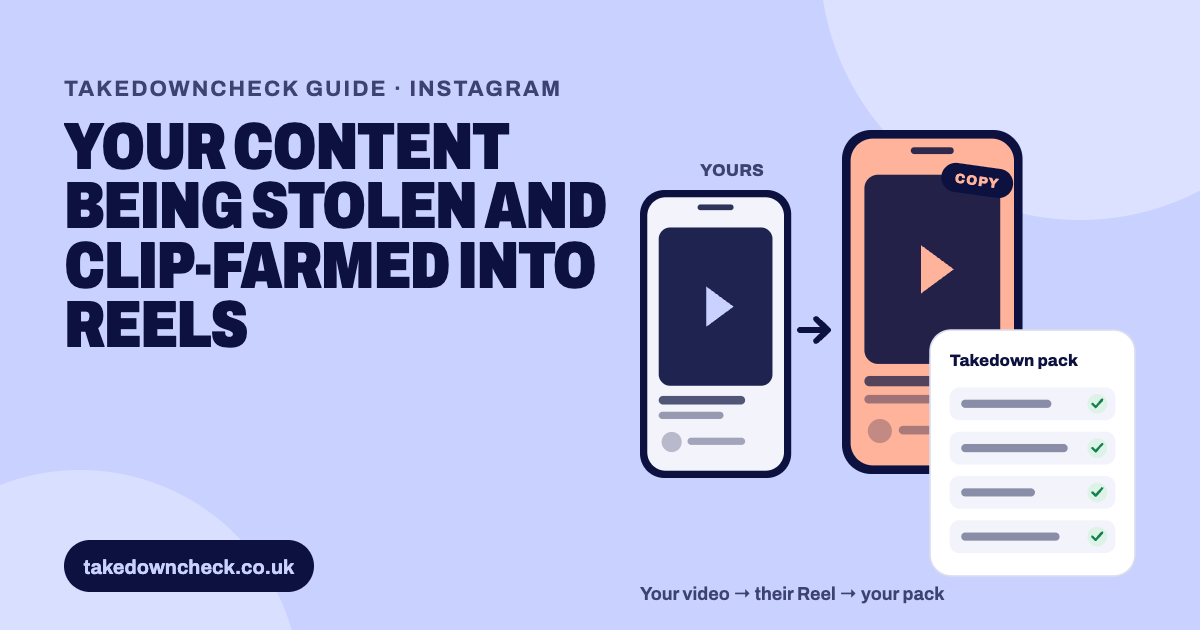
Report it with Meta's intellectual property form, the one Instagram's copyright link opens. Choose Copyright, then Instagram as the platform, confirm you own the work, paste the Reel's URL, link your original YouTube video as the example, describe the copying, verify your email with the code Meta sends, and sign. Meta publishes no review time. Only the owner or an authorised representative may file.
A Reel that plays your footage, your edit and your narration is your work on someone else’s account. Meta’s policy is short about it: “Meta does not allow posting content that violates someone else’s intellectual property rights, including copyright and trademark.” Meta also sets the boundary of what copyright covers: “Copyright protects original expression, such as words or images. It does not protect facts and ideas.”
That boundary matters for the common cases. A vertical crop of your video, with your voice under it and captions on top, is your expression. Someone telling the same true story to camera in their own words, with their own pictures, usually isn’t, however closely they followed your research.
Be more careful with a Reel that uses a short piece of your video to comment on it. Meta’s guidance on fair use says a use that “transforms or changes the original work by adding new meaning, context or expression” is more likely to be fair, and adds: “You may want to seek legal advice if you have questions about the possibility to use someone else’s copyrighted work within the limits set by the law.”
Only claim what you own. If your video carries licensed music, archive footage or another creator’s clip, those parts belong to someone else and don’t go in your report.
Meta’s rule leaves no room: “Only the copyright owner or their authorised representative may file a report of copyright infringement.”
The form asks this directly. After a country dropdown headed “Where are you asserting rights?”, it asks “Are you the rights owner?” with three answers: “Yes”, “No, but I’m authorised to represent the rights owner” and “No”. Choosing Yes brings up a box for the rights owner’s name, with the helper text “This may be your full name or the name of the organisation for which you are the authorised representative.”
The name you give identifies the owner of the work: you, or the company that owns your channel. It is not private, and the section below explains where it goes.
Instagram’s copyright link opens Meta’s shared reporting tool. Meta’s policy page points to “You can report it to us by filling in this form for Facebook and this form for Instagram.” Follow the Instagram link and it lands on the Meta Intellectual Property Reporting Form. There is one tool with the platform choice inside it, not a separate Instagram copyright system.
There are two other routes, and neither is the one to start with for a single Reel.
| Route | What it is | When it fits |
|---|---|---|
| The online IP form | Meta’s reporting tool, reached from Instagram’s copyright link | One Reel, or a batch of Reels, reported by the owner or their representative |
| Meta’s designated agent | A postal address and phone number published on Meta’s copyright page | A formal notice sent on advice, usually a solicitor’s job |
| Rights Manager or content protection | Meta’s matching products, applied for and approved | An established catalogue, not a first report |
Meta itself sends people without the matching products to the form: “If you don’t have access to Rights Manager or content protection, you may report individual infringements through our IP reporting forms.” Meta publishes its designated agent as “Meta Platforms, Inc. FAO: Meta Designated Agent, 1601 Willow Road, Menlo Park, California 94025, US, +1 650 543 4800”.
If you’d rather not assemble that yourself, the free pack at the top of this page pairs the Reel with your video and fills in every box of Meta’s form. You submit it, because only the owner or their authorised representative may file. TakedownCheck never files for anyone.
Step 1 asks “What right is being violated or infringed?” and offers Copyright, Trademark and Counterfeit. A reposted video is copyright.
Step 2 asks you to “Select the platform where the content that you wish to report is located”, listing Facebook, Instagram, Threads, WhatsApp and Meta’s other surfaces. Pick Instagram.
Set the country to the United Kingdom, answer “Are you the rights owner?” and give the rights owner’s name.
The form asks you to “Provide the URLs/IDs leading directly to the content that you’re reporting”, up to 30, separated by a space, comma or semicolon. Every part of a series is its own link.
Under “Provide an example of your copyrighted work that you believe has been infringed”, paste the link to your video.
The box is headed “Describe how you believe that this content infringes your intellectual property rights”. Keep it to a few factual sentences.
The field is marked “(Optional) If you have a court order deeming the content unlawful, attach it”.
Meta says: “To verify your email address, you must enter a one-time code sent to the email address that you provided. Please allow up to 5 minutes for the code to arrive and enter the most recent code that you’ve received.”
You confirm: “You have a good faith belief that the reported use, in the manner that you have complained of, is not authorised by the intellectual property rights owner, its agent or the law. The information contained in this notice is accurate. You are authorised to act on behalf of the owner of the intellectual property rights at issue.” Then you type an electronic signature.
Read that declaration properly before you agree to it. It is a legal statement about a work you own and a use you have not permitted.
Meta doesn’t say whether one report can cover an Instagram Reel and a Facebook copy. The platform selector takes one choice, so file once per platform.
Say what you made, what the Reel took, and that you never permitted it. This is an example to adapt:
The Reel above reposts my video, which I filmed, edited and narrated and published on my YouTube channel on [date]: [link to your original]. It uses my footage and my narration, cropped to vertical, with no commentary added. I have not licensed this account to use my work.
If several Reels break one video into parts, name the section each one takes. Don’t claim your title on its own, and don’t claim music or footage you licensed from someone else.
More than most creators expect, so decide before you file.
Meta’s copyright page says: “If we remove content that you posted because of an intellectual property report submitted through our online form, you’ll receive a notification from Meta that may include the name and email address of the rights owner who made the report.” The form is blunter, and says Meta “will provide the rights owner’s name, your email address, and the nature of your report to the person who posted the content you are reporting. This person may use the information you provide to contact you about the report and attempt to resolve the issue.”
Facebook’s help page lists what goes across: “Meta regularly provides the person whose content was reported with: Report number, Rights owner’s name, Your email address, Report details, Appeal submission instructions.” It recommends using a business or professional email address rather than a personal one, and warns that “The reported content’s poster may contact you using the information you provide.”
Instagram says the same thing from the other direction on its impersonation page: “Bear in mind that your report is anonymous, except if you’re reporting an intellectual property infringement.”
If you file as an authorised representative, Meta’s page indicates the name shared is the rights owner’s, not yours.
You get “an automated message that contains information about your report, including a unique report number.” Keep it. It is the reference for everything that follows.
Report each new Reel as it goes up, with its own links and dates. Meta counts repetition.
Instagram’s repeat infringer rule, in Meta’s words: “If you repeatedly post content that infringes someone else’s intellectual property rights, your account may be disabled or your Page removed under Instagram’s repeat infringer policy.” Meta’s wider intellectual property page puts it more fully: “Repeatedly posting content that infringes someone else’s intellectual property rights can result in additional restrictions. Your account or profile may be disabled, or you may face limitations on your ability to post content or access certain features and functionality.”
Instagram’s Terms of Use carry the same power, allowing Meta to stop providing the service “if you repeatedly infringe other people’s intellectual property rights, or where we are permitted or required to do so by law.”
Two limits to plan around. No Meta page says a Reels removal clears copies of the same video elsewhere, so each copy needs its own report. And if a removed post is later restored, on appeal or because the rights owner withdrew, Meta counts that restoration under the repeat infringer policy.
Instagram’s originality push, announced in April 2026, is not a takedown route. Press coverage reported that “accounts that primarily share content they didn’t create, or haven’t meaningfully transformed, will no longer be recommended”, and that “Importantly, Instagram is not limiting reach among existing followers, but Discovery, the algorithm engine that fuels growth, will be significantly reduced.” That cuts a reposter’s growth. It leaves your video on their account.
No. YouTube’s Copyright Match Tool “can automatically identify videos that are matches or potential matches of other videos on YouTube”, and YouTube describes it as a tool that “scans for full reuploads of your videos on other YouTube channels”. Instagram is outside it, so a copy there needs a report to Meta.
Meta’s own matching products are not the starting point for one stolen video either. Rights Manager takes an application and approval, weighs your catalogue and your history, and puts cooldowns on reapplying after a rejection. Meta has also said that “For creators, Rights Manager in Meta Business Suite is going away soon”, with enrolled creators moving to the content protection tool in the Professional dashboard on Facebook. For a first report, the IP form is the route Meta points you to.
This is general information, not legal advice.
Whichever route you take, keep the record: the report number, the date you filed, the links, and the screenshots you took before the Reel disappeared. That is what makes your answer quick when Meta writes back.
The platforms' own pages this guide is based on.
Meta doesn't say. The form's second step asks you to 'Select the platform where the content that you wish to report is located' and offers one choice, so filing once per platform is the safe reading.
No. Instagram's own help page says 'Bear in mind that your report is anonymous, except if you're reporting an intellectual property infringement.' Meta's form says it will give the poster the rights owner's name, your email address and the nature of your report.
Meta publishes no review time on its copyright pages. It says only that it may need to remove reported content promptly without contacting the poster first, and that it may come back to you for more information.
Meta documents an appeal only for the person whose content was removed. No Meta page describes a reporter-side appeal, or a way to check a report beyond the confirmation email and its report number.
No. YouTube says the tool 'scans for full reuploads of your videos on other YouTube channels'. It doesn't look at Instagram, so Instagram copies have to be reported to Meta.
No. Press reports of Instagram's April 2026 announcement say unoriginal accounts stop being recommended, which cuts their Discovery reach. It isn't a removal, and it isn't a substitute for reporting.